How to Handle Credit Score Improvement Calculator

- Most calculators return a point range based on FICO or VantageScore rules.
- How long it takes to improve your credit score depends on the lever: lower card balances can land in 30–60 days, while late payments stay on your report up to seven years.
- Real movement usually shows up within 1–3 months if you cut utilization and keep every payment on time.
A credit score improvement calculator can feel a little like a fortune teller's booth. You punch in a few numbers, click a button, and it tells you your score could jump 40 points if you pay off that one card. Helpful — as long as you understand what's happening behind the curtain.
Here's the honest version. Those tools are simulators built on real scoring models. They can show you the direction and rough size of a change, but they can't hand you a guaranteed result.
Your score depends on your whole credit report, and that report shifts every month.
What calculators do well is help you decide where to send your next dollar and your next hour. This guide walks through how to use one step by step, what it can and can't tell you, and the question nearly everyone lands on: how long does it take to improve your credit score? One quick note up front — this is general information, not financial advice.
What Is a Credit Score Improvement Calculator?
A credit score improvement calculator is an online tool that estimates how a single change to your credit profile might move your credit score. You choose a scenario — pay off this card, open a new account, miss a payment — and the tool returns a projected score or point range.
Most of these run on simulator technology. FICO and VantageScore both publish simulators, and banks, card issuers, and credit monitoring apps license that engine. Others use their own in-house models.
That's why two calculators can give you two different answers for the same what-if question.
Hold onto the word projected. A calculator is a what-if machine. It takes the snapshot of your credit file today and asks one question: what would this look like if one thing were different?
Real life adds mess. Lenders report on different days. Balances move.
New accounts appear. The number you see is a direction to walk in, not a finish line.
How Do I Use a Credit Score Improvement Calculator? (7 Steps)
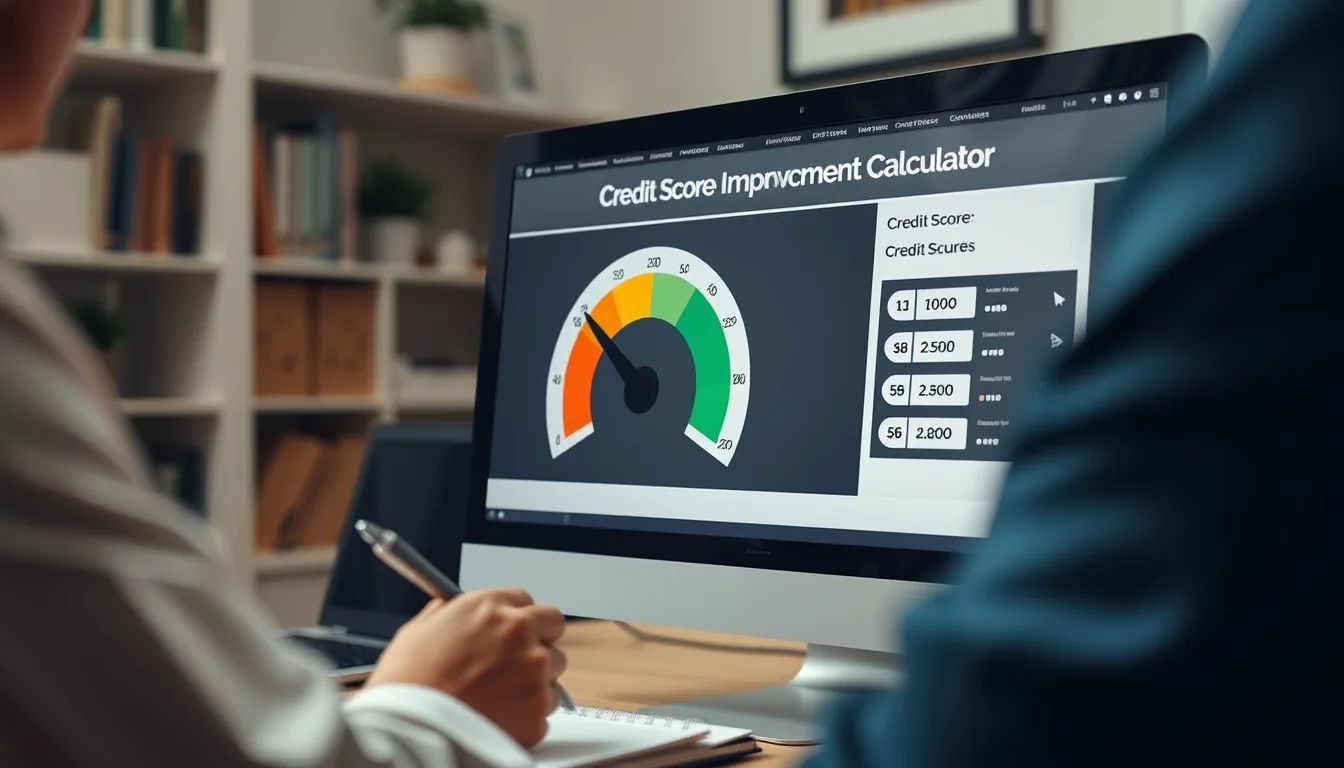
Follow these in order. Skipping step one is the mistake almost everyone makes.
- Pull your real credit reports first. Go to AnnualCreditReport.com, the only site the federal government authorizes to give you free reports from all three bureaus. Read all three, because they rarely match each other.
- Find your actual score. A calculator needs a baseline. Your bank or card issuer may show a free FICO score. Apps like Credit Karma typically show VantageScore. Write down which model you're looking at.
- Pick a calculator that matches your score. If you're tracking a FICO score, use a FICO simulator. If you're watching VantageScore, use a VantageScore one. Mixing them gives you noise.
- Change one thing at a time. Run pay off Card A on its own. Then run pay off Card B on its own. Stacking five changes into one scenario makes the output meaningless.
- Screenshot the result and date it. You will not remember the numbers in a month. Trust me on this one.
- Run the downside scenarios too. See what a 30-day late payment would cost you before you skip one because money is tight. It's a strong motivator.
- Re-run everything every 30 days. Reports change monthly. A stale calculation turns into bad advice fast.
One habit worth building: write the predicted number on the same page as the date you expect the change to hit. That's how you learn how your own credit file behaves.
What Can a Credit Score Improvement Calculator Tell You — and What Can't It?
Let's set expectations honestly. A calculator is genuinely useful, with real edges.
What it can do
- Show the direction and rough size of a score change.
- Compare two options, like paying $2,000 on Card A versus Card B.
- Estimate how long a negative item might hold your score down.
- Model the cost of a new credit application before you apply.
What it can't do
- Promise an exact score. Nobody can, including your lender.
- See information that isn't on the report it's reading.
- Reflect a specific lender's internal underwriting rules.
- Nail the timing, since your issuer's reporting date drives that.
Two people with identical scores can get very different results from the same action. That's not the calculator lying. It's the difference in everything sitting behind the number.
Who calculators work for — and where they struggle
Simulators work best for people with at least a few accounts and some history. If you have fewer than three accounts, small changes can swing your score wildly, or barely move it at all.
They also struggle after major events. A bankruptcy filed last month leaves the model with very little to work with. Same story if your reports are frozen or locked, since the simulator may not see a complete file.
And a mortgage lender pulls different FICO versions than a credit card issuer does. So your simulator result may not match the score that shows up at closing.
How Do Credit Score Calculators Actually Work?

Two scoring systems run the show in the U.S.: FICO and VantageScore. FICO is used in the large majority of lending decisions. VantageScore shows up often in free score apps and some prequalification tools.
FICO publishes the general weightings for its FICO Score 8 model, which gives you a solid mental map of what a simulator is doing under the hood.
| FICO factor | Approximate weight | Scenario it drives |
|---|---|---|
| Payment history | 35% | Pay on time for six months |
| Amounts owed | 30% | Pay off this card / cut this balance in half |
| Length of credit history | 15% | Close my oldest credit card |
| New credit | 10% | Open a new credit card |
| Credit mix | 10% | Add an installment loan |
VantageScore doesn't publish the same percentage breakdown, but it looks at similar things: payment history, utilization, age and type of accounts, total balances, recent inquiries, and available credit.
When you run a scenario, the tool compares your current file to what your file would look like with that change applied. Then it estimates the score under the model's rules.
Where it gets fuzzy is timing and thresholds. Utilization has cutoffs — many people talk about 30%, but scoring models also reward dropping under 10% and under 1%. Points appear and disappear at those lines.
Where Can I Find a Free Credit Score Improvement Calculator?
You don't need to pay for a projection. Several legitimate simulators are free.
- myFICO — the FICO Score Simulator, usually bundled with a paid plan or trial.
- Credit Karma — free VantageScore simulator that updates as your report changes.
- Capital One CreditWise — free, and you don't have to be a Capital One customer.
- Chase Credit Journey — free, no Chase account required.
- Experian — free FICO score, with a simulator on its paid tiers.
- Credit unions and regional banks — many tuck a simulator inside their online banking dashboard.
Free is the right price for a what-if estimate. If a site wants your card number before it shows you a simulator, close the tab.
Before you trust any number: set your baseline
You can't measure progress without a starting point. Start by pulling all three reports through AnnualCreditReport.com, the federally authorized source. As of this writing, the three bureaus offer free weekly reports there, so check the site for current terms.
According to the Consumer Financial Protection Bureau's credit reports and scores guide, you have a legal right to your reports, and you can dispute anything that's wrong or incomplete at no cost.
Next, note which score you're actually watching. FICO and VantageScore use different scales and different math. A VantageScore of 690 is not the same thing as a FICO score of 690, and lenders care which one they pull.
What Actually Affects Your Credit Score?
Five categories do nearly all the work: payment history, how much of your available credit you're using, how long you've had accounts, how often you apply for new credit, and the mix of accounts you hold.
Our guide on what affects your credit score breaks each one down with examples. Two of them matter more than the rest when you're in a hurry: payment history and utilization.
Payment history is simply whether you pay on time. Based on FICO's own published examples, a single 30-day late payment can cost someone with a strong score 60 to 110 points. The hit is smaller if your score was already low, but it still stings.
Utilization is the percentage of your credit limits you're using. If you have $10,000 in total limits and $3,000 in balances, you're at 30%. Most models reward staying under 30%, and they reward being under 10% considerably more.
Here's the part people miss: utilization gets calculated per card and across all cards. Maxing out one card while the others sit at zero can still drag your score down.
How Long Does It Take to Improve Your Credit Score?
There's no single number, because it depends entirely on which lever you pull. Some changes show up in one billing cycle. Others take years to age off.
Here's a realistic map. These are typical ranges, not guarantees.
| Action | When it shows up | Typical timeline |
|---|---|---|
| Lower credit card balances | Next statement close for that card | 30–60 days |
| Dispute an error and win | Bureau has 30 days to investigate | 30–90 days |
| Stack on-time payments | Monthly reporting | 3–12 months for a visible trend |
| New card or loan (hard inquiry) | Immediately | Small dip, mostly recovered in 6–12 months |
| Become an authorized user | 1–2 statement cycles | 30–60 days |
| Close your oldest account | Next reporting cycle | Immediate dip while history shortens |
| 30/60/90-day late payment | Immediately | Stays 7 years; impact fades after about 2 |
| Collection account | Usually within a month | 7 years plus 180 days |
| Chapter 13 bankruptcy | When filed | Up to 7 years |
| Chapter 7 bankruptcy | When filed | Up to 10 years |
So how long does it take to raise your credit score in real life? If your problem is high utilization and late payments stop today, plenty of people see meaningful movement — illustratively, 20 to 50 points — within one to three months.
Rebuilding a damaged file up to a good credit score, which most lenders treat as roughly 670 or better on FICO, is a longer project. Twelve to twenty-four months of clean behavior is a common range, and it depends heavily on what's sitting on your report right now.
If your question is how long does it take to boost your credit score by 100 points, be skeptical of anyone promising that in a few weeks. A jump that size usually requires removing serious negative items, or cutting utilization dramatically, or both.
And how long does it take for a credit score to increase after paying off a card? Usually one statement cycle after your issuer reports the new balance. If your issuer reports mid-month, you might see it in a couple of weeks.
One more piece of good news: even though a late payment stays on your report for seven years, the damage fades long before that. Lenders and scoring models care far more about the last 12 to 24 months of behavior than about something that happened in 2021.
How Can I Raise My Credit Score in 30 Days?
Thirty days is enough time for real movement, but only for certain moves. Here's what can actually land in a single billing cycle.
- Pay down revolving balances before your statement closing date. Your issuer reports the balance it sees on that date, not your due date. Paying early can drop your reported utilization in one cycle.
- Ask for a credit limit increase. A higher limit lowers your utilization without paying down a dollar — as long as you don't spend the new room. Ask whether it triggers a hard inquiry first.
- Make mid-cycle payments. If you run work expenses through a card, pay it down twice a month so the reported balance stays low.
- Dispute clear errors. A duplicate collection or an account that isn't yours can be removed, and the bureau has 30 days to investigate once you file.
- Become an authorized user on an old, clean account. This can add history and available credit at once. It's a favor with real stakes, so talk it through with the account holder first.
- Get any past-due account current. It won't erase the late mark, but it stops the damage from stacking month after month.
What won't happen in 30 days: bankruptcies disappearing, accurate collections vanishing, or your score leaping from 520 to 750 off one payment. If a company promises that, they're selling you something that doesn't exist.
How to Improve Your Credit Score Fast: The Moves That Matter Most
If you want the deep-dive version, our guide on how to raise your credit score fast covers each tactic in detail. Here's the short list of what tends to move the needle hardest.
- Utilization first. It's the fastest lever you control, and it refreshes every month.
- Autopay on everything. Set it for at least the minimum. A missed payment costs far more than the interest you save by skipping it.
- Dispute inaccuracies. It's free, and the bureaus are legally required to investigate.
- Keep old accounts open. Length of history carries about 15% of your FICO score.
- Space out applications. Each hard inquiry shaves a few points and stays on your report roughly two years.
- Add a credit-builder loan or secured card if your file is thin or damaged.
None of these are secrets. They work because they hit the two categories that carry the most weight, and they work fastest because they're the parts of your credit file you can change this month.
How to Quickly Improve Your Credit Score With a Thin File
If you've never had credit, or you have one card and nothing else, your problem is different. You can't lower utilization that doesn't exist yet.
Building from scratch takes patience and a couple of specific tools. Our guide on how to build credit walks through each option in detail.
In short: a secured credit card is usually the fastest legitimate start, because you put down a deposit and the issuer reports to all three bureaus. A credit-builder loan does something similar from the installment side, which also helps your account mix.
Being added as an authorized user can jump-start a thin file if the primary account is old, in good standing, and lightly used.
Expect about six months before you even have a FICO score. That's the minimum history the model requires, and there's no legitimate workaround for it.
How Do I Raise My Credit Score Fast Without Wrecking My Budget?
Fast credit fixes and budget pressure pull in opposite directions. Here's how to get score movement without putting yourself in a worse spot next month.
- Attack the card with the highest utilization, not the highest balance. Going from 95% to 60% on one card often matters more than paying a small card off entirely.
- Aim windfalls at reported balances first. Tax refunds and bonuses do the most good when they land before a statement closing date.
- Don't close cards you just paid off. A zero-balance card still helps your utilization math and your account age.
- Skip the credit-repair subscription if you're comfortable filing disputes yourself. It costs nothing to dispute with each bureau directly.
- Keep a small cash buffer. Draining savings to chase a score target leaves you one car repair away from new debt.
Also worth ten minutes of your time: the FTC's guide to fixing your credit yourself lays out exactly what credit repair companies can and can't charge you for before you sign anything.
Should You Use a Credit Repair Company or a Calculator Instead?
Different jobs. A calculator estimates outcomes. A credit repair company disputes items on your behalf.
Here's the thing — you can do everything a credit repair company does, for free, by filing disputes yourself with Equifax, Experian, and TransUnion. What you're really buying is someone else's time and patience with paperwork.
If you do hire one, know the rules. Under the Credit Repair Organizations Act, companies can't charge you before they deliver the service, can't ask you to waive your legal rights, and can't guarantee specific results. Fees typically run somewhere between $50 and $150 a month, or a flat fee per item.
What nobody can legally do is remove accurate negative information. Not a late payment that happened, not a bankruptcy you filed, not a collection you actually owe. If a company promises that, walk away and don't look back.
What About Debt Settlement or Debt Management? Do They Hurt My Score?
If you can't make your minimum payments, the credit score question drops below surviving the month. That's a real place to be, and there are legitimate paths out of it.
| Option | Typical credit effect | Rough recovery window |
|---|---|---|
| Nonprofit credit counseling / debt management plan | Mild; accounts may note counselor involvement | 6–24 months after completing |
| Hardship program with your lender | Varies; often neutral to mild | Depends on the program |
| Debt settlement | Significant; often involves missed payments first | 2–4 years with clean behavior |
| Chapter 7 bankruptcy | Severe at first | On report up to 10 years; many rebuild in 2–3 |
Notice the pattern: the options built for the biggest debt problems usually carry the biggest credit cost. The recovery window also tends to be shorter than people fear going in.
Debt settlement companies typically take 15% to 25% of the debt you enroll as their fee. That's a real number to weigh against what you owe and what you can realistically pay.
Before signing with anyone, talk to a nonprofit credit counseling agency — look for NFCC membership or a similar nonprofit designation. Those sessions are usually free or low cost, and a good counselor will tell you honestly whether a debt management plan beats settlement for your situation. Sometimes the answer is neither.
Common Mistakes That Slow Your Credit Score Down
Most of the damage people do to their own scores comes from a handful of habits. See if any of these sound familiar.
- Closing cards the moment they hit zero. You just cut your available credit and shortened your history in one move.
- Paying the full balance after the statement closes. Great for interest, but the bureau may still record the higher balance for that cycle.
- Opening store cards for the discount. Three new accounts in a month can cost you real points for a 15% off coupon.
- Co-signing for someone else. It's your credit on the line, and it counts toward your utilization too.
- Disputing things that are accurate. It burns time and changes nothing.
- Paying old collections without a plan. Paying doesn't remove the account from your report. Newer FICO versions do weigh paid collections less, which is worth knowing.
- Ignoring medical collections. The three bureaus no longer report paid medical collections, and unpaid medical collections under $500 were removed. Policies in this area keep shifting, so check current rules before you assume.
Here's the encouraging part: every item on that list is a habit, and habits are changeable. None of it requires a paid product.
How Often Should I Re-Run a Credit Score Improvement Calculator?
Once a month is the sweet spot. Credit reports update on a monthly cycle, so running it more often just gives you the same number with a new timestamp.
A simple routine works well:
- Pull your reports and scores on the same day each month.
- Run the same two or three scenarios you ran last month.
- Log the predicted score, the actual score, and the date.
- Note which cards reported a new balance, and when.
- Adjust your plan if reality keeps beating or missing the prediction.
After three or four months, you'll know how your own credit file responds to change. That's more valuable than any generic timeline, including the ones in this article.
When a Score Problem Is Really a Debt Problem
Scores are a symptom more often than a cause. If your minimum payments eat your entire paycheck, optimizing utilization math won't fix much.
Signs it's time to look at the debt itself instead of the score:
- You're using one card to pay another.
- You've been at or near your limits for six months or more.
- You're late on something most months.
- You avoid opening statements because you don't want to see the total.
- Minimum payments add up to more than you can realistically afford.
Those aren't character flaws. They're math problems, and math problems have solutions. A nonprofit credit counselor can look at your whole picture and tell you which path fits — that conversation costs nothing, and you don't need to have a plan before you call.
Whatever you do next, remember that a calculator is a planning tool, not a judgment. Your score today is a snapshot of your file, not a verdict on you. And it's one of the few things in your financial life you can genuinely change with a month or two of steady, boring effort.
Key takeaways
- A credit score improvement calculator shows the direction and rough size of a change. It's a projection, not a promise.
- Run one scenario at a time, screenshot the results, and re-check every 30 days.
- Utilization and payment history drive most of the movement you control.
- Lower card balances often show up in 30–60 days. Disputes take 30–90. Late payments stay seven years, though the sting fades after about two.
- You can realistically see 20 to 50 points in one to three months if you cut utilization and stop missing payments.
- If minimum payments are unmanageable, talk to a nonprofit credit counselor before you pay for credit repair or debt settlement.
Frequently asked questions
Is a credit score improvement calculator accurate?
How long does it take to improve your credit score?
How can I raise my credit score in 30 days?
Does using a credit score calculator hurt my credit?
Can a credit repair company really remove negative items from my credit report?
This article is for general informational purposes only and does not constitute financial, legal or credit-repair advice. Always consult a qualified financial advisor or credit counselor about your specific circumstances.

Written & reviewed by
Can OTUEditor
Can OTU is the editor of this site, curating and reviewing every guide for accuracy and clarity.
View all guides →